
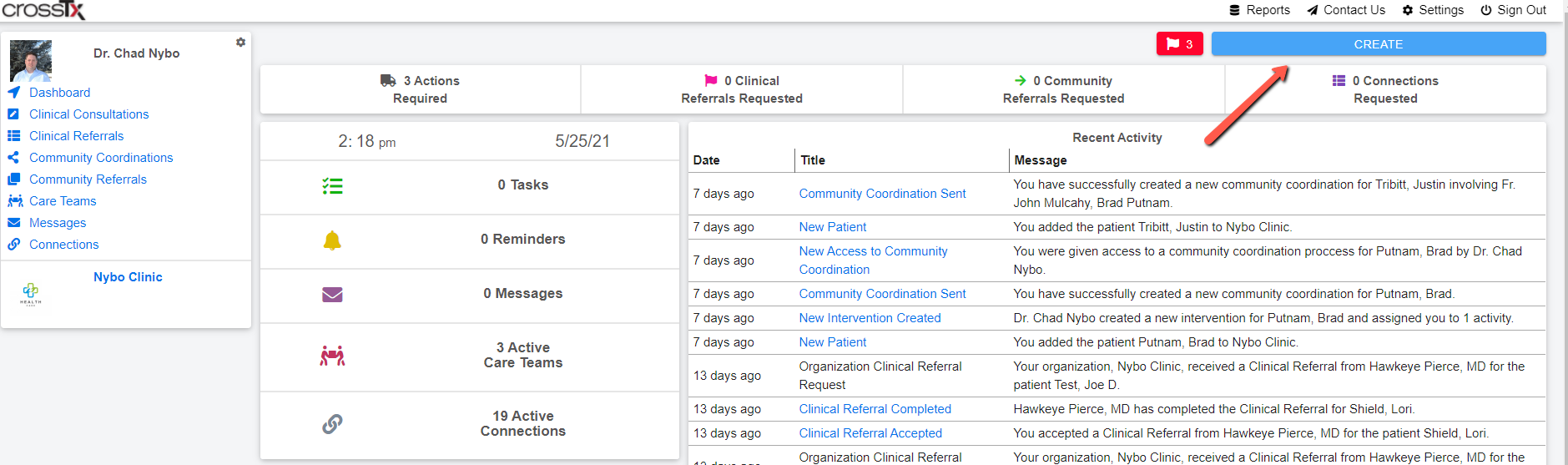
To create a Community Referral click on the blue Create button at the top right of the platform.
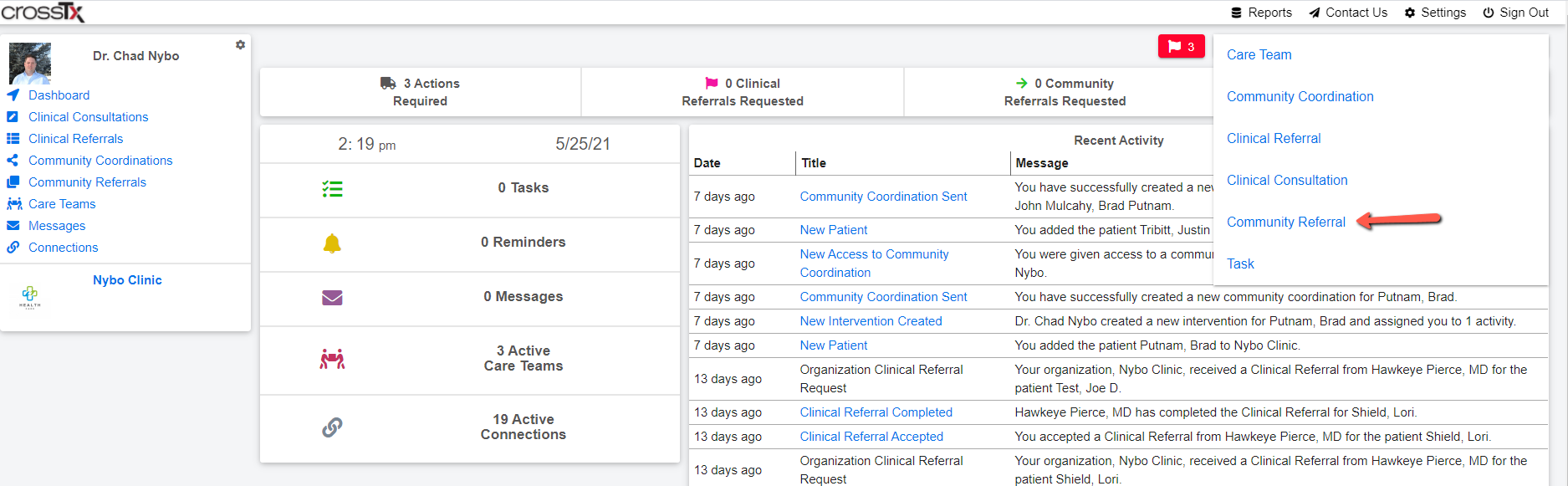
Then click on Community Referral from the drop down menu.
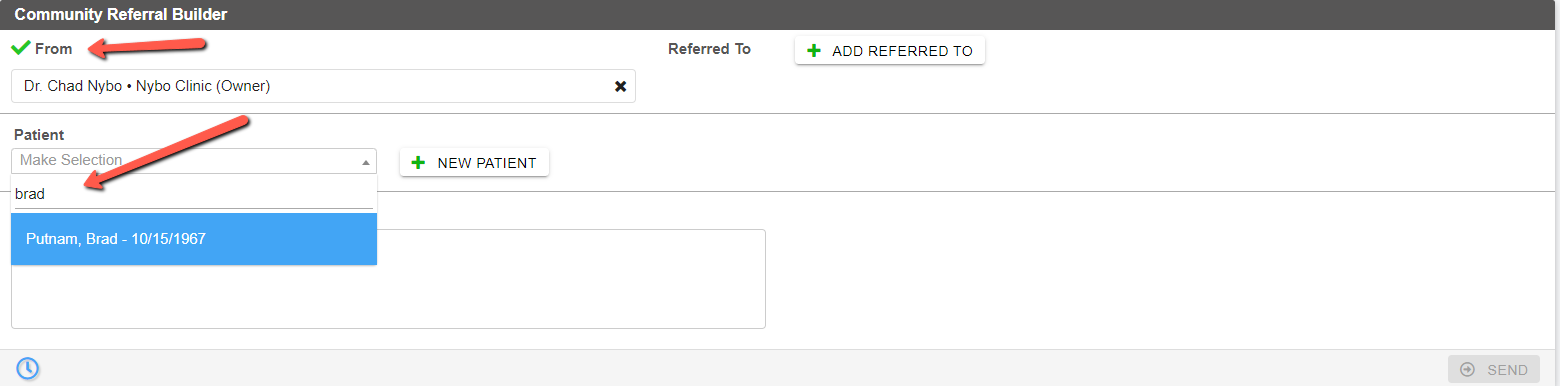
Choose who the referral is From in the drop down and search for an existing patient or create a New Patient.
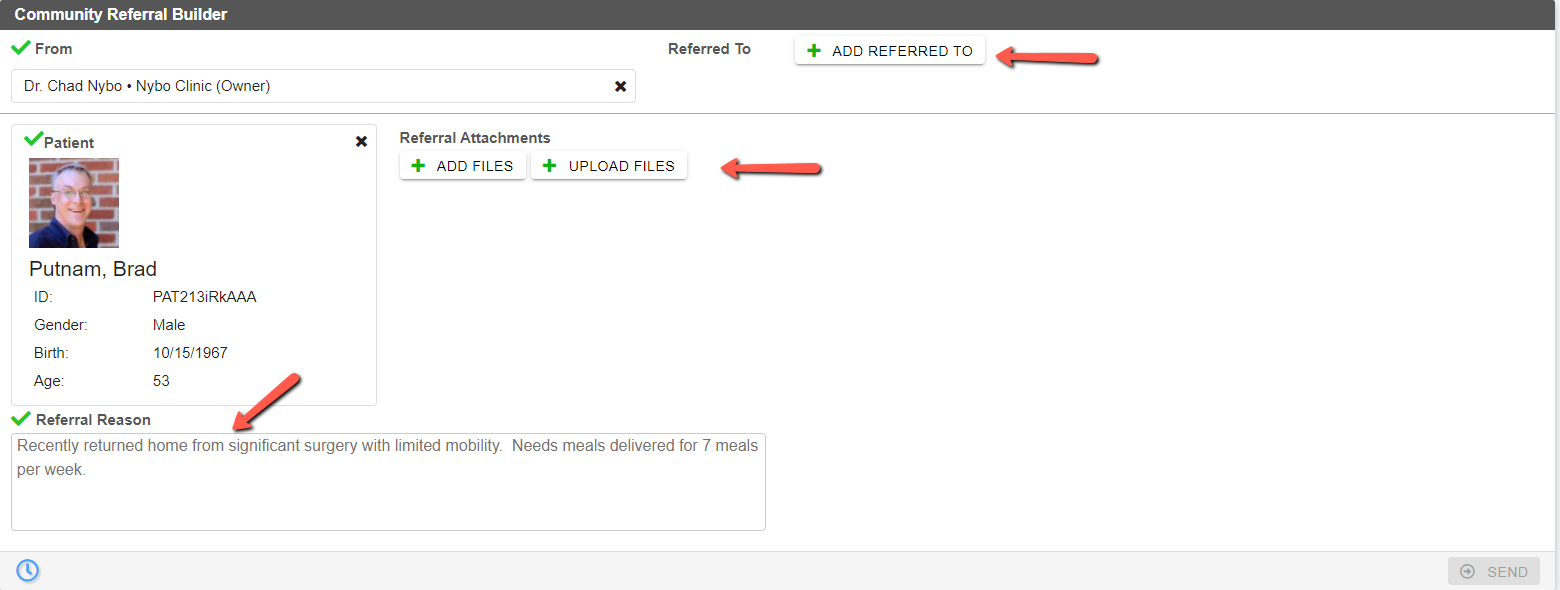
Complete the Referral Reason, Upload Files or Add Files already in the CrossTx platform, and then click the Add Referred To button.
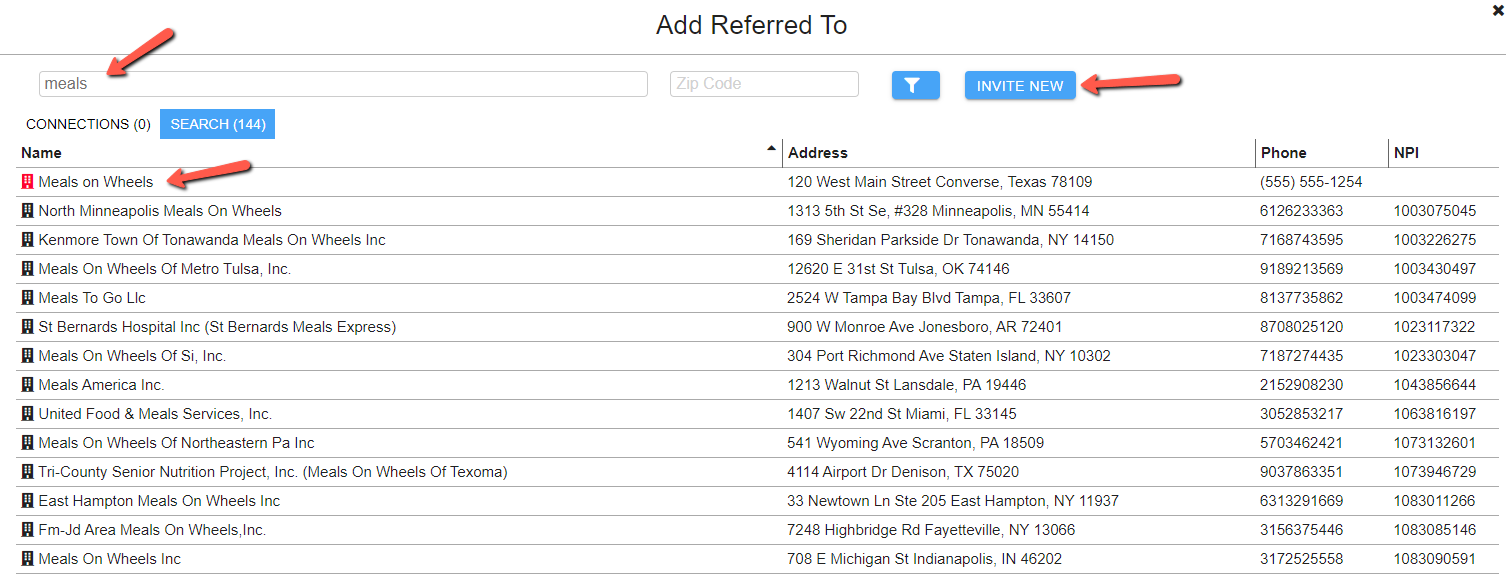
Search for the community organization you wish to engage the patient/client with. If they appear red from the list they are already in the CrossTx database. If they are in black then click the blue Invite New button to the right, enter the organization name, enter an email address and click send to send an email inviting them into the platform. (There is no charge for community organizations to join the platform.)
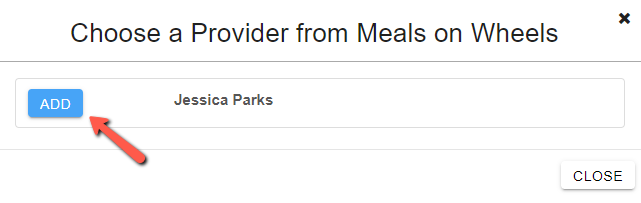
Depending on the organization you may be prompted to choose a provider in the organization. Click the blue Add button next to the name of the individual you wish to send the referral to.
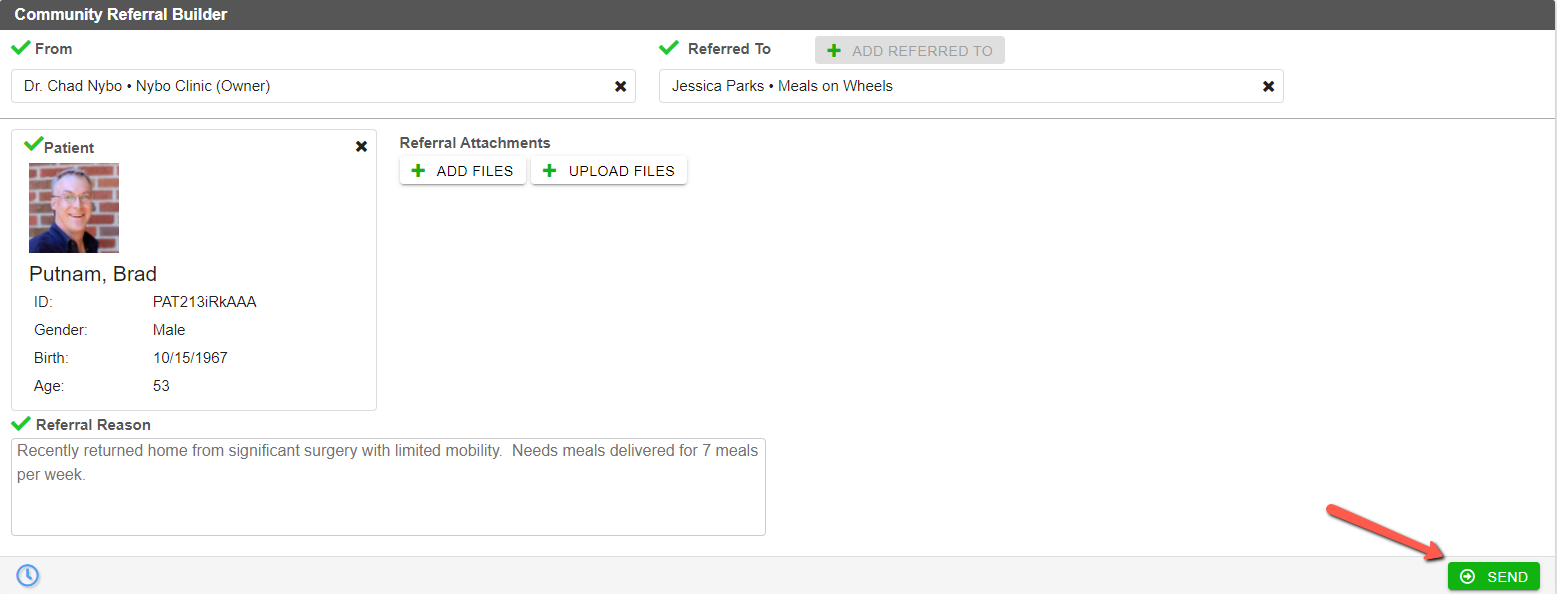
Your Community Referral is now complete and ready to send. Simply click the green Send button at the bottom right of the referral builder.
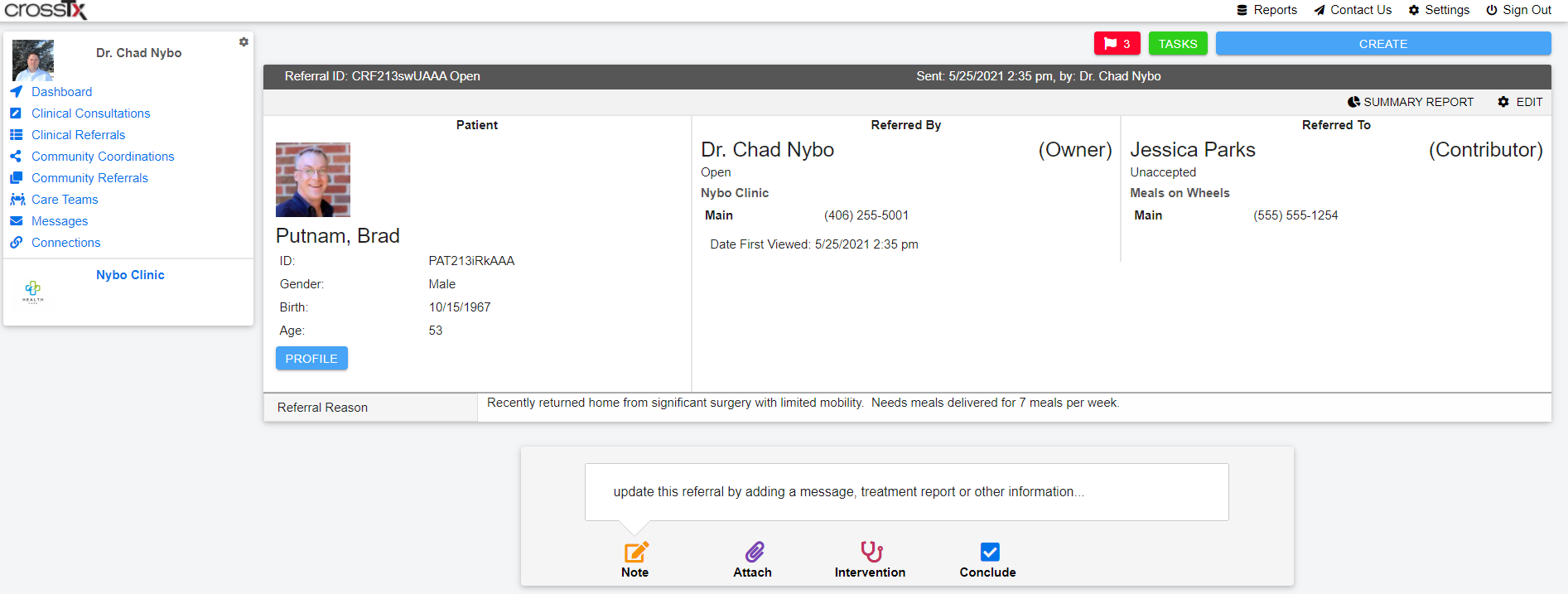
You will be automatically taken into the newly created Community Referral and can begin to add notes, attach documents, create interventions, and conclude the referral as the situation warrants. The Referred To organization will be sent an email notification letting them know you have sent them a referral and to log into the platform to receive it.
Comments
0 comments
Please sign in to leave a comment.