
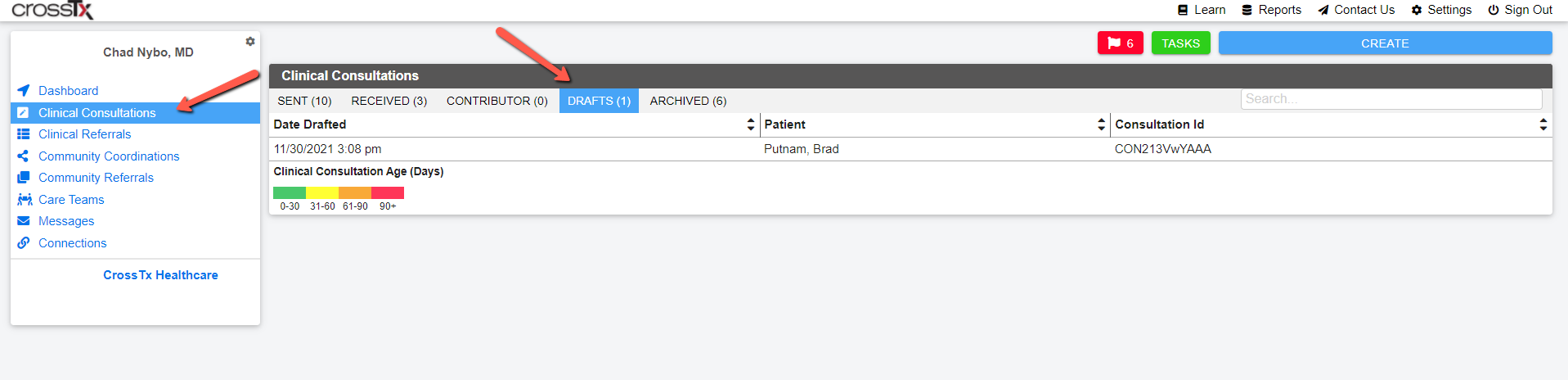
To view your draft consultations click on Clinical Consultations on your User Card and then click on the Drafts tab:
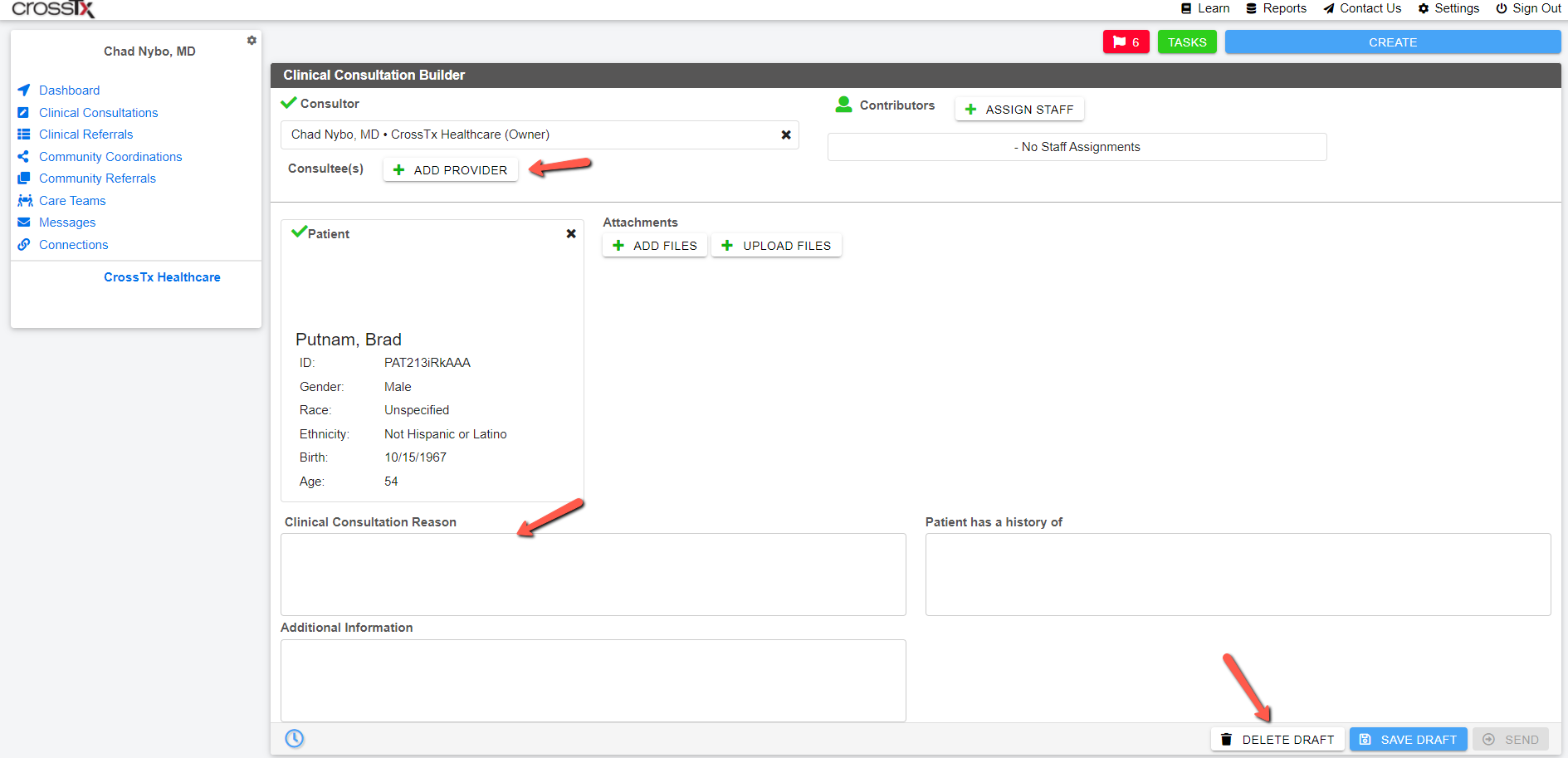
Then choose the Draft you wish to delete or send and the incomplete or unsent Draft will open. Then complete the required fields and click the Send button bottom right to send or click the Delete Draft button to delete the draft Clinical Consultation from your list.
Comments
0 comments
Please sign in to leave a comment.